
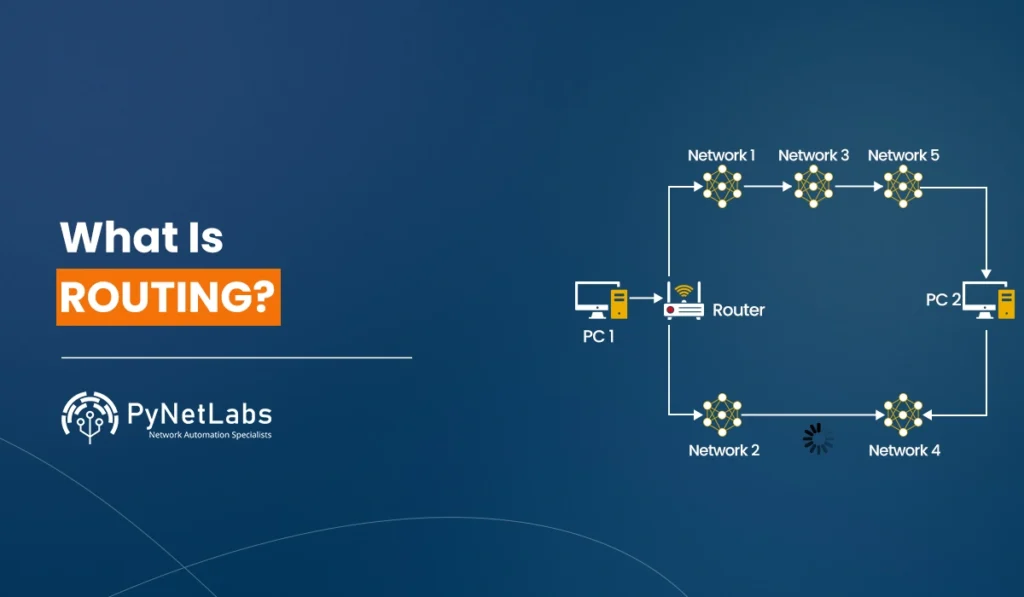



Routing is the process of selecting paths for data packets to travel between networks. It helps your devices reach destinations beyond their own local network, whether you’re opening a website, joining a video call, or accessing an office server.
The interesting part is how those paths are chosen. A router doesn’t simply pick the shortest physical distance. It follows known routes, protocol rules, and network policies. In this blog, we will discuss about what is routing in computer networks, its types along with its functioning. We will also look into some routing protocols for better understanding.
Before getting into more details, let’s first understand what routing in computer networks means.
What Is Routing in Computer Networks?
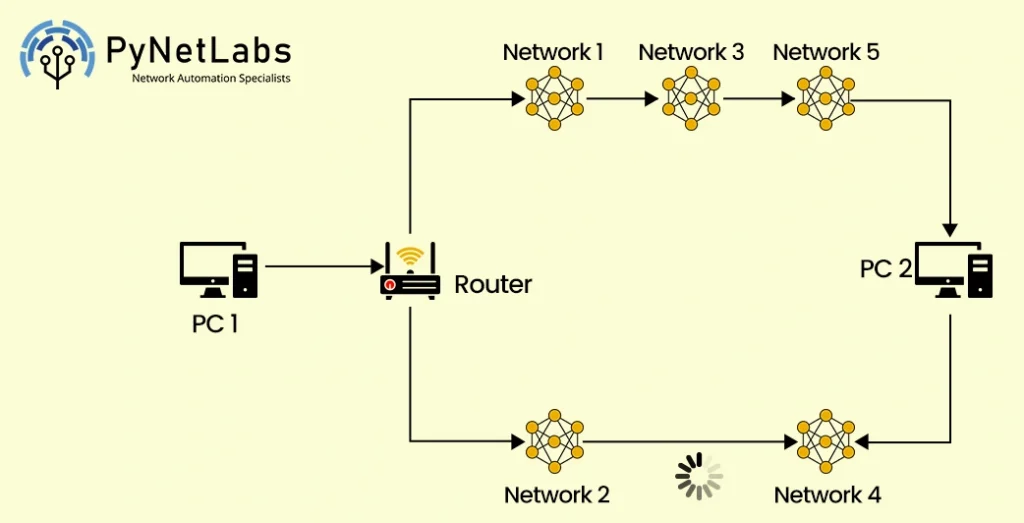
Routing in computer networks is the process of selecting path for IP packets between different networks. It mainly operates at Layer 3 of the OSI model. Routers use destination IP addresses and routing information in order to find out the next hop or outgoing interface for traffic.
Example of Routing Between Office Subnets
Assume you are an employee and you need to access an application via your laptop which is hosted on a company server. The devices use separate subnets:
- Laptop’s IP address 192.168.10.25 and is on subnet 192.168.10.0/24.
- Application server IP address 192.168.20.50 and is on subnet 192.168.20.0/24.
- Laptop’s default gateway is 192.168.10.1.
You will have to determine that the server is not on your local subnet using your laptop’s subnet mask. For that it sends the packet to its default gateway, but keeps the destination of the packet as the server’s IP address.
The gateway router examines the destination IP address and forwards your laptop’s packet to the company gateway, 192.168.20.0/24.
Your laptop doesn’t need to know every network along the way. It needs a route to send the packet onward, and each router handles the next step.
This type of routing scenario is an important part of CCNA preparation, where you learn how IP addressing, subnetting, default gateways, and routers work together to move packets between networks. If you want to build these concepts through practical examples and hands-on labs, you can explore the CCNA Training Course by PyNet Labs.

How Does Routing Work?
A packet usually travels one hop at a time. Each router decides where to send it next.
- The device creates IP packets. Each packet includes a destination IP address in its header.
- The device selects an outgoing route. For a destination outside its subnet, it commonly sends the packet to its default gateway.
- The router checks the destination. It looks for a matching entry in its forwarding table, which is built from selected routing information.
- The router forwards the packet. It sends it through the appropriate interface toward another router or the destination device.
- The process continues as needed. Further routers make their own forwarding decisions until the packet reaches its destination.
When there is no route that matches, the router discards the packet (even if a default route is present). IPv4 packets also contain a field called Time to Live (TTL). Routers reduce it during forwarding, preventing packets from circulating forever.
There is a difference between routing and forwarding. Forwarding is the movement of packets over a path, routing establishes path.
What Is a Routing Table?
A routing table is a collection of routes that a router or host maintains to reach destination networks. Routes can come from directly connected networks, manual configuration, or routing protocols.
Each entry typically identifies the destination prefix, next hop, and outgoing interface. It may also show the route’s source and metric.
Consider these selected entries from a branch-office router’s table:
| Destination network | Next hop | Outgoing interface |
| 10.1.1.0/24 | Directly connected | Ethernet0 |
| 10.20.0.0/16 | 10.1.2.2 | Ethernet1 |
| 0.0.0.0/0 | 192.0.2.1 | Ethernet2 |
A packet addressed to a data-center server at 10.20.5.40 matches both the 10.20.0.0/16 route and the default route.
The router selects /16 because it is the longest prefix match, meaning the most specific matching route. It forwards the packet to the next-hop router at 10.1.2.2 through Ethernet1.
The default route handles destinations without a more specific match.
Types of Routing in Computer Networks
Static and dynamic routing describe how routes are configured or learned. Default routing describes what happens when no more specific route matches.
Static Routing
With static routing, an administrator manually configures a route.
For example, your company might connect its office network to a remote data center. An administrator can configure a static route that sends traffic for the data center through a particular router.
Static routes offer predictable behavior and little protocol overhead. However, maintaining many routes becomes time-consuming as the network grows. Backup paths require additional configuration.
Dynamic Routing
With dynamic routing, routers exchange network information through routing protocols. They learn destinations and update routes when relevant network changes occur.
Assume that your company operates several branch offices with multiple connections. If a link is down, a dynamic routing protocol can discover an alternate route and adjust the affected routes accordingly.
This reduces manual updates, but requires processing, memory, and protocol traffic. Recovery also takes time; it isn’t automatically instant.
Default Routing
A default route is the fallback used when no more specific route matches.
For IPv4, it is written as 0.0.0.0/0. For IPv6, it is ::/0. A branch router might use it to send unfamiliar destinations toward its internet provider.
A default route can be configured statically or learned dynamically. It isn’t a separate alternative to both methods.
What Are Routing Protocols?
Routing protocols let routers exchange reachability information and select routes. They are typically categorized based on their operational regions:
- Interior Gateway Protocols (IGPs) are used by providers inside the autonomous system, which is a set of networks running under a similar level of administration.
- Exterior Gateway Protocols are used to share routes across different autonomous systems. BGP performs this role on the internet.
Protocols also differ in how they calculate routes:
- Distance-vector protocols determine the distances to destinations and the next hop used based on information they receive from other routers.
- Link-state protocols maintain a topology database and calculate paths based on the information about the links.
- Path-vector protocols advertise attributes of the path, including autonomous system a route passes through.
Common Routing Protocols
| Protocol | Approach | Key Characteristics |
| RIP (Routing Information Protocol) | Distance-vector | Uses hop count. Supports up to 15 hops. |
| OSPF (Open Shortest Path First) | Link-state | Selects paths by link cost. Supports routing areas. |
| EIGRP (Enhanced Interior Gateway Routing Protocol) | Advanced distance-vector | Uses DUAL. Considers bandwidth and delay by default. |
| BGP (Border Gateway Protocol) | Path-vector | Selects routes using policies and path attributes. |
RIP’s small metric limit restricts network size. OSPF supports internal networks divided into areas. EIGRP is often described as “hybrid,” but its technical specification identifies it as distance-vector based. BGP gives network operators control over how routes are accepted and advertised. These protocols form the foundation of advanced routing, with technologies such as OSPF, BGP, IS-IS, and MPLS commonly used in enterprise and service provider networks. The OSPF, BGP, IS-IS and MPLS Course by PyNet Labs covers these technologies with practical, hands-on training.
How Does a Router Choose the Best Path?
“Best” depends on the protocol and configuration.
RIP compares hop counts. OSPF compares link costs. BGP can prioritize policy preferences over a shorter AS path.
When different sources offer the same destination prefix, routers also use route preference. Cisco calls this administrative distance. It helps determine which route enters the routing table.
Once routes are installed, packet forwarding uses the longest prefix match. Administrative distance doesn’t override a more specific installed route.
Also, ordinary dynamic routing doesn’t necessarily measure live congestion. A busy link won’t automatically trigger a different path unless the routing system supports and uses that information.
Routing vs. Switching
The main distinction is which addresses guide traffic movement.
| Feature | Routing | Layer 2 switching |
| Main purpose | Connect different IP networks | Connect devices within a local Layer 2 network |
| Address used | Destination IP address | Destination MAC address |
| OSI layer | Layer 3 | Layer 2 |
A Layer 3 switch can perform routing too. The device’s capabilities matter more than whether its name includes “router” or “switch.”
Conclusion
Now, you have a better understanding of the question that most confused about, i.e., what is routing. Routing lets separate networks communicate through known paths. Static routes provide manual control, while dynamic protocols help routers adapt when connections change.
To understand a routing decision, start with three questions: What is the destination address? Which routes are installed? Which route is the most specific match? Those questions turn an abstract networking concept into something you can trace and troubleshoot.
Frequently Asked Questions
Q1 What is routing in CCNA?
Ans – Routing in CCNA is defined as the process which is used to select path for data packets to travel in between different or same networks.
Q2 What are types of routing?
Ans – There are three types of routing, these are static, dynamic, and default.
Q3 IS-IS routing vs OSPF?
Ans – IS-IS and OSPF are link-state protocols; IS-IS uses Level 1 and Level 2 routing, while OSPF connects routing areas through backbone Area 0.
Q4 Why is routing used?
Ans – The main purpose of routing in computer networks is to send information in between networks in both fast and reliable manner.