



Introduction
From a smartwatch connected to your phone to offices communicating across countries, computer networks connect devices and enable data sharing every day. But not every network works in the same way, its size, purpose, technology, and coverage determine which type is used.
Understanding the different Types of Computer Networks is essential for learning how modern communication systems are designed and managed. In this blog, we explain the major network types, their examples, uses, and key differences to help you understand where each network fits in real-world environments.
What is a Computer Network?
A computer network is a group of two or more interconnected devices that communicate with each other to exchange data and share resources. These devices can include computers, smartphones, servers, printers, switches, routers, and other network-enabled systems.
Networks can be small, such as a home Wi-Fi network connecting a laptop and smartphone, or extremely large, connecting offices, data centres, cloud services, and users across different countries. Depending on their size, purpose, technology, and access requirements, computer networks can be classified into several types.
Turn networking skills into career opportunities with CCNA Course – Register to know more!

Let us now discuss the different types of computer networks in detail.
Types of Computer Networks
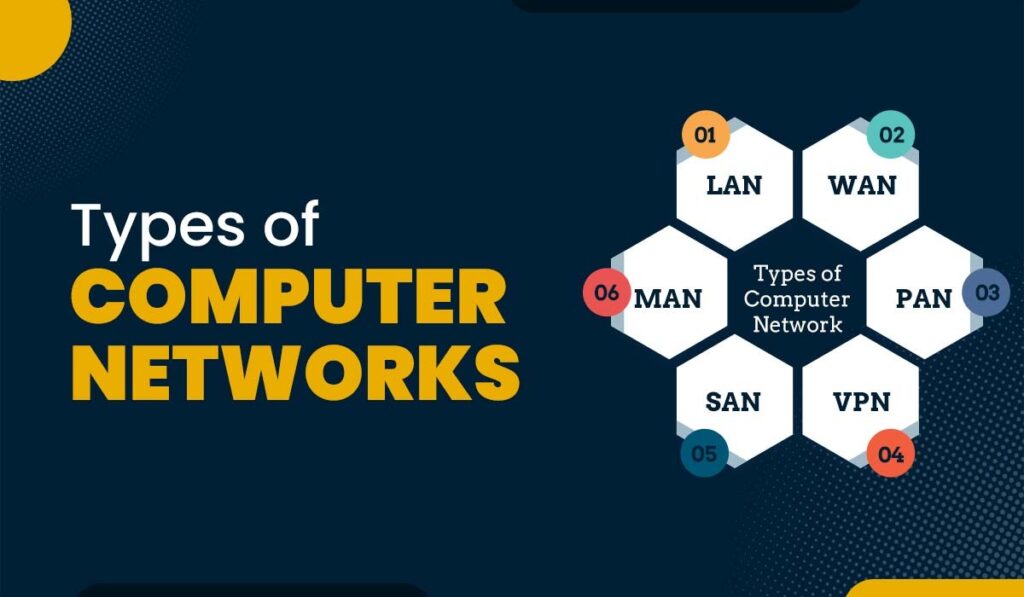
It is critical for network professionals to understand the various types of computer networks that are known. Each type is unique, exists to fill a particular niche, and is designed to function in specific conditions. Here are nine common types of computer networks:
1. Personal Area Network (PAN)
A PAN is a small network that connects devices at a short range, normally within a few meters of each other. PANs are utilized in devices that relate to individuals, such as smartphones, tablets, and laptops. These networks work best in your personal space.
Think of your wireless earbuds talking to your phone. That’s a PAN in action. They use Bluetooth most of the time. Some use infrared, too. The range is small, possibly around 30 feet. PANs make life easier. You don’t need wires everywhere. Your fitness tracker sends data to your phone this way. It’s simple and it just works.
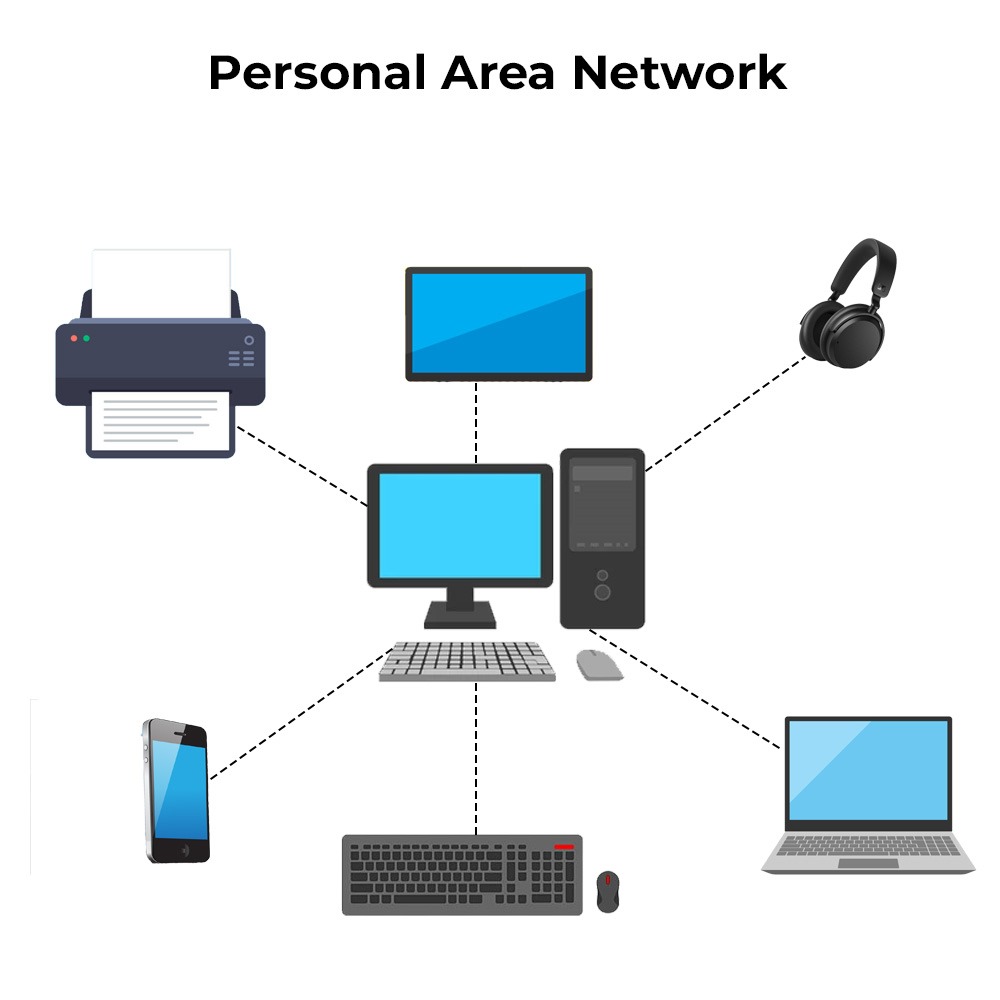
Example: A Bluetooth headset worn by a person who connects it to a smartphone in order to listen to music is a typical example of PAN. Bluetooth is a Personal Area Network wherein the devices establish a connection and can transfer data between them.
2. Local Area Network (LAN)
A LAN is a type of network where devices are connected with each other and within a limited geographical area, such as a home, office, or school. Local Area Networks are usually implemented to allow computer sharing or centralization of resources such as printers, files, and the Internet.
Most homes have a LAN now. Your router creates it. All your devices connect through it. You can share files between computers easily. Print from any device to one printer. LANs are fast because all devices are close together. They use cables or Wi-Fi. Schools use them so students can access the same programs. Offices need them for teamwork. Setting up a LAN isn’t hard these days.
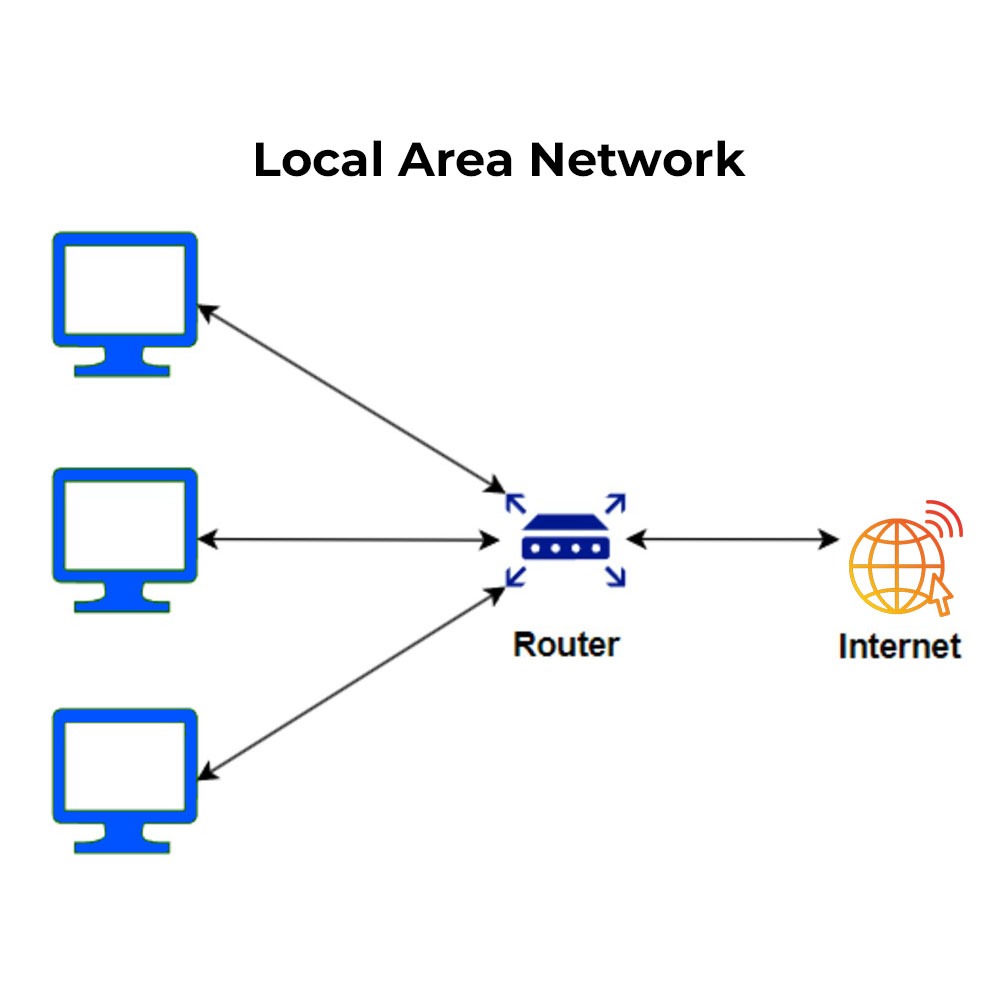
Example: A small office where many connected computers with a central router for files and printing is exemplified by a LAN. The devices are interconnected through preferably Ethernet cables or wirelessly through wireless networks.
3. Wireless Local Area Network (WLAN)
A Wireless Local Area Network (WLAN) is a LAN that uses wireless communication, most commonly Wi-Fi, to connect devices. WLANs provide users with mobility while allowing devices to access shared network resources without physical Ethernet connections. WLANs are widely used in homes, offices, schools, hotels, airports, and other environments where wireless access is required.
Example: A company Wi-Fi network connecting laptops and smartphones to its internal network.
Advance your network engineering career with CCNP ENCOR Training Online (v1.2) (350-401) Enterprise Core – Sign up now!
4. Metropolitan Area Network (MAN)
MAN is used to connect several LANs together and thus it extends over a larger area, usually a city or a large campus. Today, LANs are combined by many organizations using MANs.
A MAN is bigger than you might think. It can cover a whole town. Universities implement MANs because they link all the buildings. City governments use them too. They connect libraries, offices, and schools together. The speed is pretty good. Not as fast as a LAN, but way better than old phone lines. Cable companies often run MANs. They use fiber optic cables mostly. It’s like having one big network for the whole area.
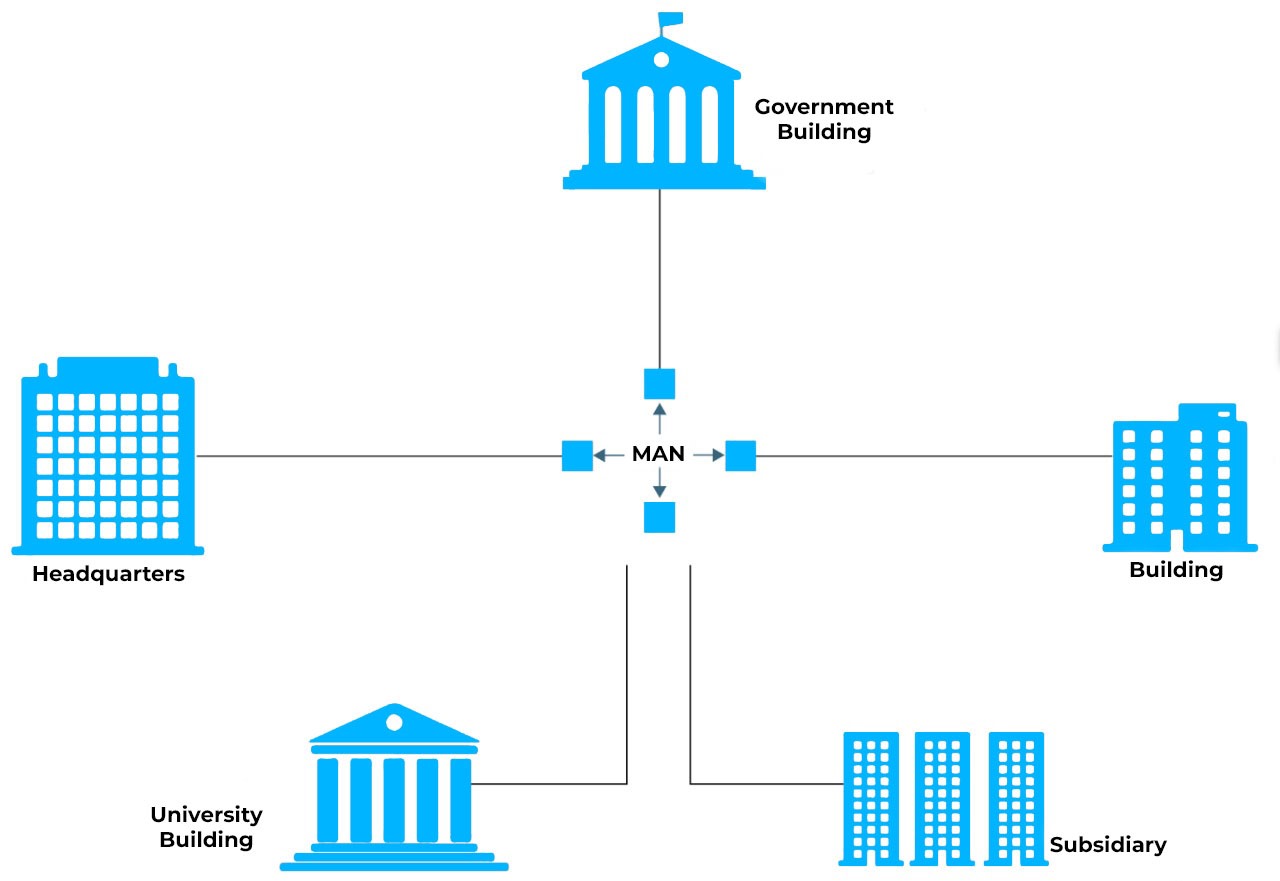
Example: A university, for instance, has many buildings linked with each other using a high-speed fiber-optic cable, known as a MAN. The network enables students and faculty to use resources and communicate in the space across buildings on campus.
5. Wide Area Network (WAN)
A WAN connects a large geographical area and can extend to several cities, regions, or even countries. WANs are largely employed in large organizations to interconnect a number of LANs or MANs.
The internet is actually the biggest WAN out there. Companies with offices everywhere need WANs. Banks use them to connect branches. The data travels long distances, sometimes through underwater cables between countries. WANs cost more than other networks. They are slower, too, because of the distance. But they let people work together from anywhere. Cloud services run on WANs. Without them, we couldn’t video chat with family overseas or work from home.
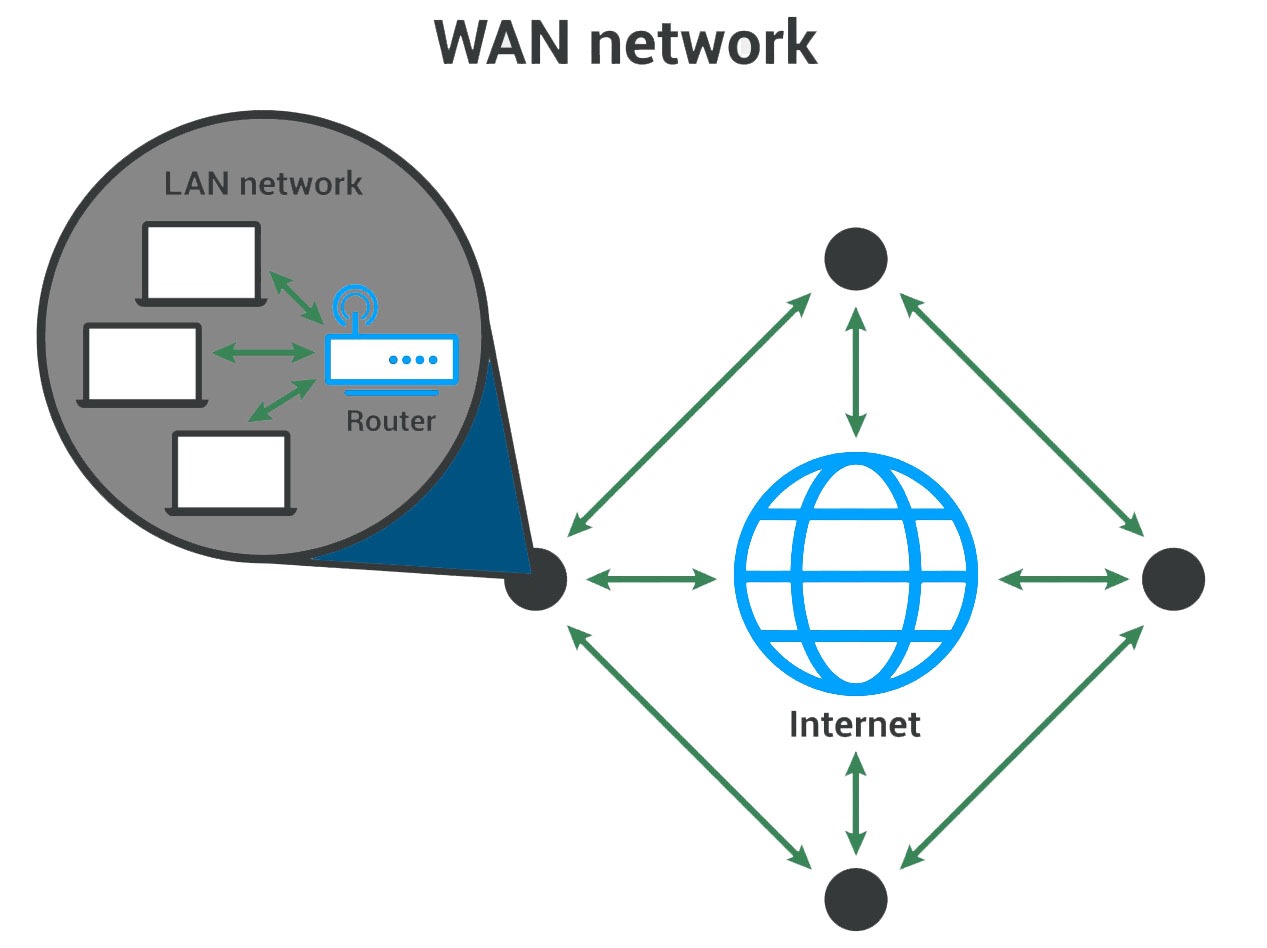
Example: A WAN is a multinational corporation with offices in different countries utilizing dedicated fiber optic links to enable communication. This enables the employees in the different stations to access common assets and share ideas, and information.
6. Storage Area Network (SAN)
SAN is a high-speed network connectivity specifically dedicated to interconnecting switches that allow storage devices to connect to the server. SANs are required where raw data is frequently required through fast and reliable access.
Think of a SAN like a super-fast highway just for data storage. Big companies need lots of storage space. SANs let many computers use the same storage. It’s much faster than regular networks. Banks store customer data on SANs. Hospitals keep patient records there. The speed matters when you need files right away. SANs never slow down, even when lots of people use them. They cost a lot, but they’re worth it for important data.
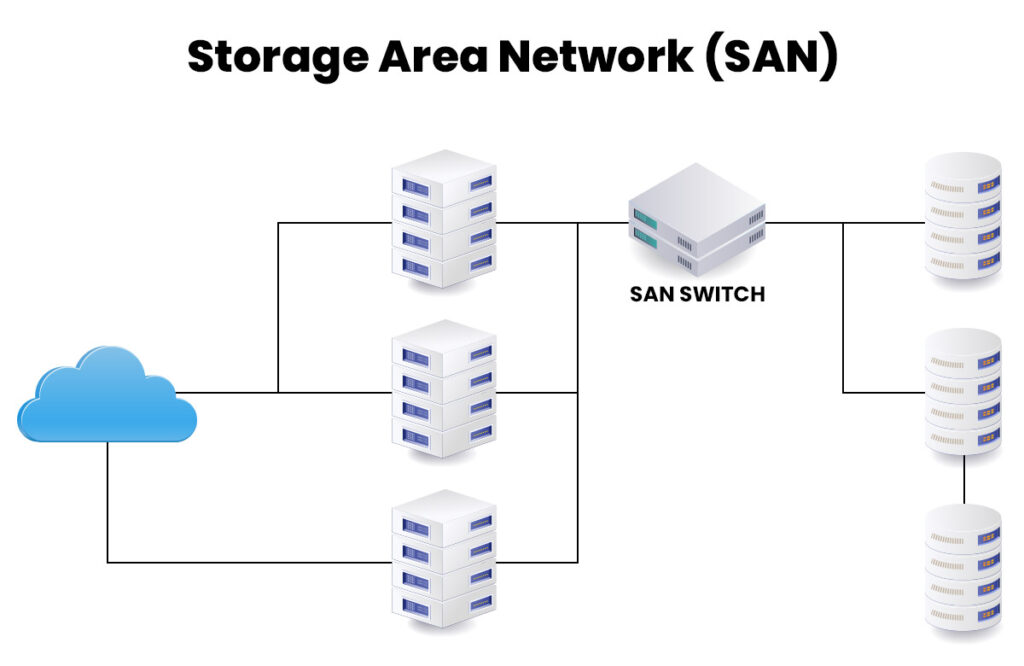
Example: An example of this type of network is a data center in which there are a number of servers that are connected to a storage area network or SAN for its central storage systems. It means that through the help of the SAN, the servers can be capable of acquiring and storing large data in a faster manner.
7. Campus Area Network (CAN)
A Campus Area Network (CAN) connects multiple LANs within a limited campus or organisational environment. It is larger than an individual LAN but generally smaller than a metropolitan network.
CANs are commonly used by universities, hospitals, corporate campuses, and large organisations to connect different buildings and departments.
Example: A university connecting its library, administration building, laboratories, and academic departments through a campus network.
8. Passive Optical Local Area Network (POLAN)
POLAN is a kind of LAN, which mostly implements fiber-optic cables, and passive optical splitters for connection. POLANs are typically faster and more efficient types of networks, which are ideal for conditions in which data must be transmitted at high rates.
POLANs are pretty clever. They use light instead of electricity. No power is needed for the splitters. That saves money on electric bills. Hotels are switching to POLANs now. So are hospitals and schools. The cables last longer than regular ones. They don’t get interference from other electronics either. You can send data really far – like 12 miles. Regular networks can’t do that. Plus, they’re harder to hack because you can’t tap into light easily.
Example: The type of network that has multiple connected floors and departments is illustrated by a modern office complex with several floors and departments interconnected through a POLAN. The fiber-optic cables and passive splitters guarantee that the data transmitted is fast and without loss of signal.
9. EPN (Enterprise Private Network)
EPN is the connection between different large organizational offices and is designed to be safe. EPNs are particularly applied to guarantee that the data being exchanged or stored are protected.
Big companies can’t use the regular internet for everything. It’s not safe enough. EPNs are like private roads for data. Only the company can use them. Banks love EPNs for moving money data. The government uses them for confidentiality. No one else can get in. The company controls everything. They know exactly where the data goes. EPNs cost more but keep hackers out. If your business handles private info, you probably need one. They are like having your own internet.
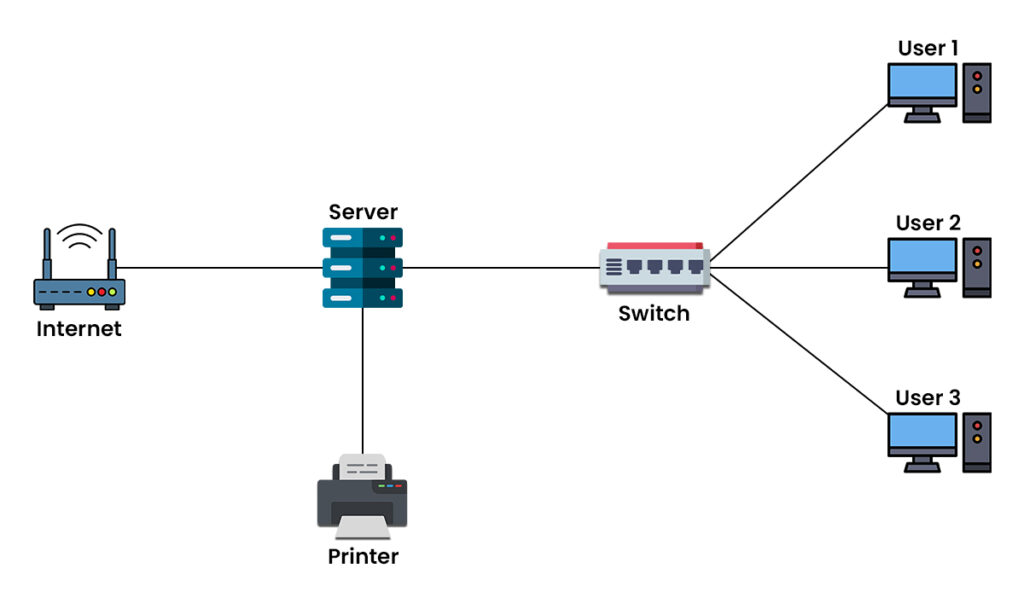
Example: An example of this type of network is the network of a financial company with its branches and a central data center linked through an EPN. The EPN guarantees that information such as financials are seamlessly and safely transmitted.
10. Virtual Private Network (VPN)
VPN is a network technology used to create a secure network connection even over an insecure connection like the Internet. VPN can be primarily used when it is necessary to gain access to a private network from a distance.
VPNs are like secret tunnels on the internet. Your data gets scrambled so that no one can read it. The VPN hides your actual location. It’s like wearing a disguise online. Some are free, but the good ones cost money. The network speed slows down a bit, but safety is worth it.
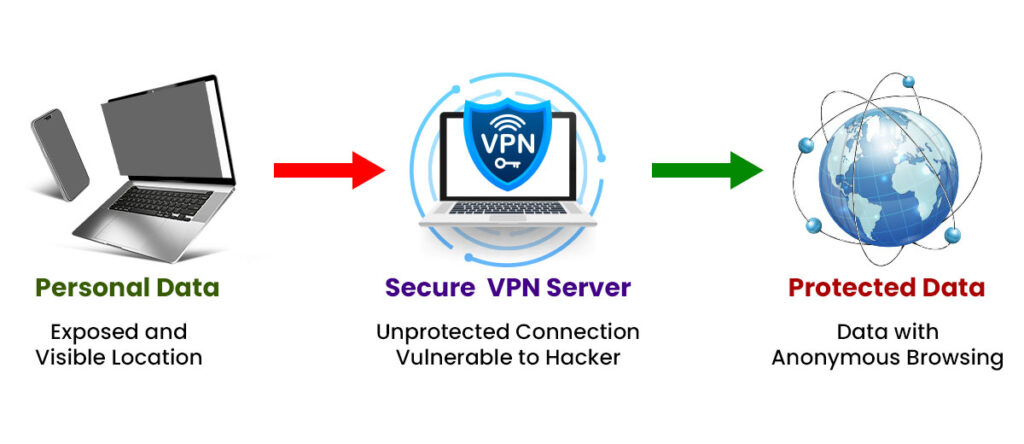
Example: An example of this type of network is an employee who is working from home via a Virtual Private Network, VPN, to access their employer’s secure network. The VPN makes sure that the particular company resource the employee needs to access is available and can be accessed safely as if the employee is still within the company’s LAN.
11. Internetwork
An internetwork is formed when two or more separate networks are interconnected so that they can communicate and exchange data. Routers are commonly used to connect these networks and forward traffic between them.
The Internet is the largest and most widely known example of an internetwork, consisting of many independently operated networks connected using common protocols and routing mechanisms.
How Does a Computer Network Work?
A computer network exists when computers connect using a combination of hardware and software elements. The hardware can be specific devices such as routers, switches, and Hubs, whereas the software refers to protocols and applications that enable networks.
Network Devices
- Routers: These devices send data packets from one network to the other. They utilize routing tables to establish the best way for data to go.
- Switches: Switches couple one or more devices with a specific network. They control the progression of data flow by channeling it to the right destination.
- Network interface cards (NICs): They are components used in the devices to allow them access to a network.
Network Protocols
- TCP/IP: This is a set of protocols widely implemented on internet connections. It prescribes how information can be presented, located, sent, directed, and taken in.
- HTTP: Hypertext Transfer Protocol is for World Wide Web usage.
- FTP: File Transfer Protocol is applied in file transfer from one device to another.
Data Transmission
When an application sends information over a network, the data is encapsulated into packets or frames as it moves through different networking layers. Network devices use addresses and forwarding information to move the data towards its destination, where it is processed and reassembled for the receiving application.
How Are Computer Networks Classified?
Computer networks can be classified in different ways depending on what aspect of the network is being considered.
Based on Geographical Coverage
Networks can be classified according to the physical area they cover. PAN, LAN, CAN, MAN, and WAN are common examples, ranging from personal device connections to networks spanning large geographic regions.
Based on Transmission Technology
Networks can also be classified according to how devices communicate. Wired networks use technologies such as Ethernet and fibre optics, while wireless networks use technologies such as Wi-Fi and Bluetooth.
Based on Purpose and Function
Some networks are designed for specific purposes rather than simply geographic coverage. SANs, for example, provide specialised connectivity between servers and storage resources, while VPNs create secure connections across existing networks.
Based on Access and Ownership
Networks can also be described according to who controls or accesses them. Examples include private enterprise networks, public networks, intranets, and extranets.
Applications of Computer Networks
Some of the main applications of computer networks are:
- Communication: Send emails in a flash. Make video calls to anyone, anywhere. Chat with ten people at once-no more waiting for letters.
- Resource Sharing: Use one printer for the whole office. Share expensive software among many users: access scanners and storage from any desk.
- Data Sharing: Share files between computers instantly. Work on the same document together. Keep everyone updated with the latest version.
- Information Access: Search millions of websites in seconds. Read the news as it happens. Find answers to any question right away.
- Remote Work: Do your job from home or a beach. Connect to office computers from anywhere. Attend meetings without driving there.
- Education: Take classes from top teachers worldwide. Submit homework online. Learn new skills through video lessons.
Advantages of Computer Networks
Computer networks provide several benefits for individuals, businesses, and educational institutions. They make it easier to share resources, communicate, manage data, and access applications across connected devices.
- Resource Sharing: Multiple users can access shared hardware, software, storage, and other resources.
- Centralised Management: Administrators can manage users, systems, policies, and resources from central locations.
- Improved Collaboration: Teams can communicate and work on shared resources across different locations.
- Data Sharing: Files and information can be exchanged quickly between authorised devices.
- Remote Access: Users can securely access applications and resources from remote locations.
- Cost Efficiency: Shared infrastructure can reduce the need to purchase and maintain duplicate resources.
Disadvantages of Computer Networks
Although computer networks improve communication, resource sharing, and collaboration, they also introduce certain challenges. Organisations must manage security threats, maintenance requirements, costs, and potential performance issues to keep the network reliable and efficient.
- Security Risks: Connected systems can be exposed to malware, unauthorised access, and other cyber threats.
- Infrastructure Costs: Network deployment may require significant investment in devices, cabling, software, and skilled personnel.
- Downtime: Network or infrastructure failures can affect multiple connected systems simultaneously.
- Maintenance Requirements: Networks require regular monitoring, updates, configuration, and troubleshooting.
- Technical Complexity: Larger networks require specialised knowledge for design, security, performance management, and troubleshooting.
- Performance Limitations: Congestion, inadequate bandwidth, hardware limitations, or poor configuration can reduce network performance.
Conclusion
Computer networks differ based on their geographical coverage, technology, purpose, and access requirements. Understanding the different Types of Computer Network helps students and network professionals compare PAN, LAN, WLAN, CAN, MAN, WAN, SAN, POLAN, EPN, VPN, and internetworks. This knowledge supports better architecture selection, effective troubleshooting, and a stronger foundation in modern computer networking.
Frequently Asked Questions
Q1. Is the Internet a WAN?
The Internet can be described as a global internetwork made up of many interconnected networks. Because it spans very large geographical areas, it is commonly associated with WANs, but technically it is more accurate to describe it as a network of interconnected networks.
Q2. What are the 5 Classification of Computer Networks?
The 5 classifications of Computer Networks are:
- LAN (Local Area Network)
- WAN (Wide Area Network)
- PAN (Personal Area Network)
- VPN (Virtual Private Network)
- MAN (Metropolitan Area Network)
Q3. What is the Difference Between LAN and WLAN?
A LAN is a local network that can use both wired and wireless connectivity, while a WLAN specifically refers to a LAN that uses wireless communication. Wi-Fi is the most common technology used to create WLANs.
Q4. What is a Campus Area Network (CAN)?
A Campus Area Network connects multiple LANs within a limited campus or organisational environment. Universities, hospitals, and large corporate campuses commonly use CANs to connect different buildings and departments.